
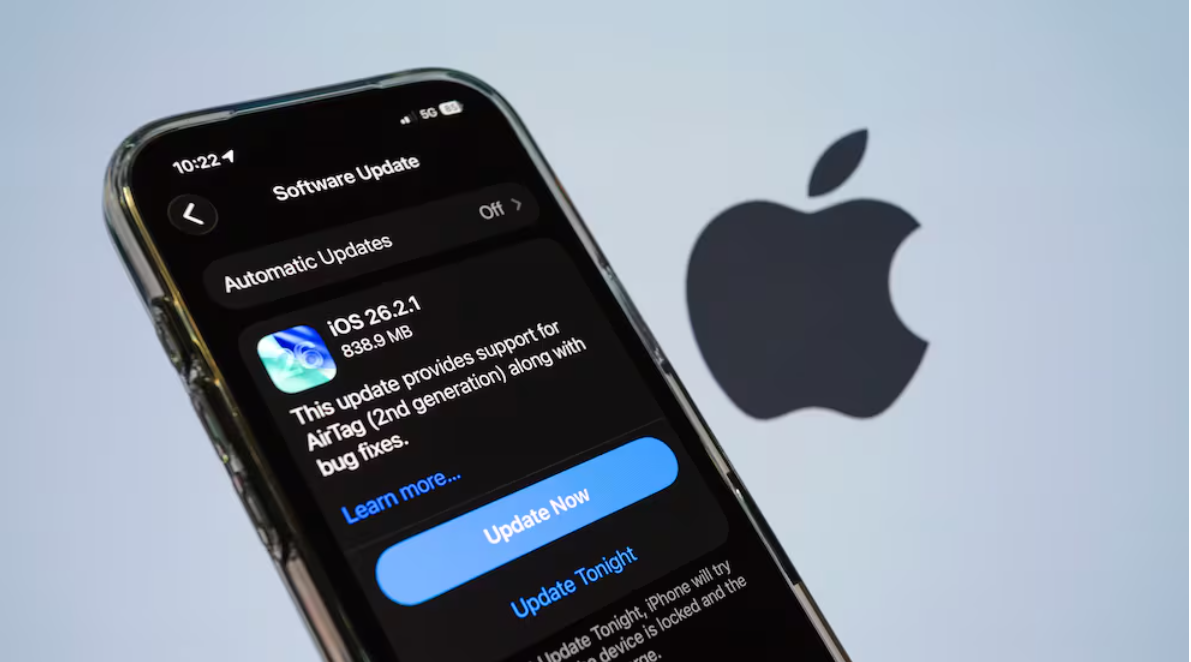
iOS 26.2.1.2 Update Guide: Must‑Know iPhone Software Changes
iOS 26.2.1.2 Update: What iPhone Users Need to Know
The iOS 26.2.1.2 update is now rolling out to compatible iPhones, and while it doesn’t introduce headline features, it plays an important role in preparing your device for Apple’s newest accessories and improving system stability. This minor update serves as a bridge between larger releases and ensures your iPhone stays compatible with Apple’s latest ecosystem enhancements.

In this guide, we’ll break down what the update includes, why it matters, who should install it, and how it fits into Apple’s broader iOS strategy.
What Is the iOS 26.2.1.2 Update?
The iOS 26.2.1.2 update is a small software release from Apple focused on under‑the‑hood improvements and device readiness for new hardware. It follows the earlier iOS 26.2.1 update, which notably enabled support for the second‑generation AirTag by adding compatibility for enhanced Ultra‑Wideband tracking technology.
Unlike major iOS releases that add features or redesign key parts of the system, this update doesn’t have visible new tools or user interface changes. Instead, it ensures smooth hardware integration and addresses various bugs without altering the way you use your iPhone on a day‑to‑day basis.
Why the iOS 26.2.1.2 Update Matters
Support for New Apple Accessories
Even though the update itself doesn’t look dramatic, one of its key roles is preparing compatible iPhones for new hardware especially the second‑generation Apple AirTag. Earlier support added in iOS 26.2.1 laid the groundwork for enhanced tracking precision and faster Bluetooth performance, and iOS 26.2.1.2 continues that integration.
If you plan to use new Apple accessories that rely on updated chipset or connectivity standards, installing the latest iOS ensures your device and peripherals communicate seamlessly.
Bug Fixes and System Refinements
Apple routinely uses point updates like iOS 26.2.1.2 to fix bugs that may not have been caught before the last major release. These kinds of updates can improve reliability across system components such as:
- Bluetooth and wireless connectivity
- GPS and location services
- Background processes and app responsiveness
Because Apple does not always publish detailed patch notes for such releases, the exact fixes aren’t always revealed publicly but their cumulative impact can still enhance your device’s performance.
How to Install the iOS 26.2.1.2 Update
Installing the iOS 26.2.1.2 update is straightforward:
- Open the Settings app on your iPhone.
- If an update is available, tap “Download and Install.”
- If the update is available, tap Download and Install.
- Follow the on‑screen prompts to complete installation.
Make sure your device is connected to a stable Wi‑Fi network and has sufficient battery life (or is plugged into power) before starting the update.
Who Should Install iOS 26.2.1.2?
This update is recommended for all compatible iPhone models, particularly if:
- You plan to use the second‑generation AirTag or other new accessories.
- You experienced minor bugs or glitches on iOS 26.2 or 26.2.1.
- You want to stay current with Apple’s ecosystem enhancements.
Because this update doesn’t introduce major features, users who rely on maximum performance and minimal change can choose to install it at their convenience rather than immediately.
How iOS Updates Fit Together
To put iOS 26.2.1.2 in context, Apple’s iOS 26 series has introduced several noteworthy improvements:
- iOS 26.2 brought enhancements like AirDrop code sharing, Apple Music and Podcasts upgrades, updated lock screen interface options, and broader system refinements.
- iOS 26.2.1 introduced official support for AirTag 2 and subtle camera and video system changes, though much of its work was also under the hood.
- iOS 26.2.1.2 continues this pattern as a point update with compatibility and reliability emphasis.
These incremental updates help Apple fine‑tune performance and gradually roll out deeper ecosystem support while working on larger releases like iOS 26.3 and above.
Helpful Resources
- Apple Support – iOS Update Information — https://support.apple.com/
- iOS 26 Features Overview — https://support.apple.com/123075
Conclusion
The iOS 26.2.1.2 update may not come with flashy new features, but it plays an important role in keeping your iPhone ready for the future especially if you use Apple accessories like the new AirTag 2 or rely on seamless connectivity and performance. Installing it ensures your device can communicate properly with the latest hardware and enjoy improved stability across everyday tasks.
Regular software updates like this are a core part of Apple’s approach to delivering a secure, flexible, and continually evolving iPhone experience.
What to Read Next


One Comment