

FritzOS 8.2 Update Guide: Essential Enhancements for Your Fritzbox
Everything You Need to Know About the FritzOS 8.2 Update for Your Fritzbox
The FritzOS 8.2 update brings meaningful improvements to many Fritzbox routers, focusing on stability, reliability, and smarter network behavior. For users who rely on their home network for work, streaming, and connected devices, this update helps ensure a smoother and more dependable experience.
In this article, you’ll learn what the FritzOS 8.2 update includes, which devices are supported, and why keeping your Fritzbox firmware up to date matters.
What Is the FritzOS 8.2 Update?
The FritzOS 8.2 update is a firmware release designed to improve how Fritzbox routers manage internet connections and connected devices. Instead of introducing dramatic interface changes, this version focuses on practical enhancements that improve everyday usage.
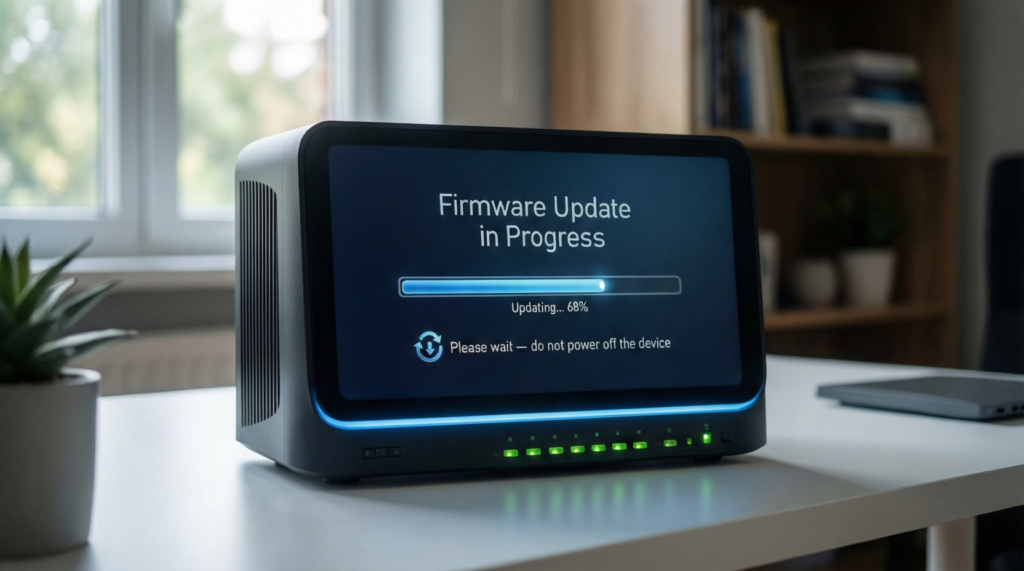
The update continues the development path of FritzOS 8, which already introduced better mesh networking, clearer system insights, and improved controls for home networks. Version 8.2 builds on that foundation with smarter handling of connection interruptions and broader device compatibility.
Key Improvements in the FritzOS 8.2 Update
Improved Network Reliability
One of the most useful features in the FritzOS 8.2 update is enhanced protection against internet outages. If your main connection becomes unavailable, supported Fritzbox models can automatically switch to an alternative internet source, such as a mobile connection via USB.
This feature is particularly valuable for remote work, online meetings, and smart home systems that rely on constant connectivity.
Expanded Device Support
The FritzOS 8.2 update supports a growing range of Fritzbox routers, repeaters, and powerline adapters. Newer models receive priority, but many popular devices are included as well.
Supported product categories include:
- Fiber-based Fritzbox routers
- LTE and 5G Fritzbox models
- Wi-Fi 6-enabled routers
- Fritz repeaters for mesh networks
- Powerline adapters for extended coverage
This wider support ensures more users can benefit from the update across their entire home network.
Continued Smart Home and Router Enhancements
While FritzOS 8.2 focuses on stability, it also maintains improvements introduced in earlier versions. These include better smart home control, clearer system overviews, and improved parental control settings.
Together, these refinements make managing your home network simpler and more intuitive, even for users without advanced technical knowledge.
How to Install the FritzOS 8.2 Update
Installing the FritzOS 8.2 update is straightforward and can usually be completed in just a few minutes.
Automatic Update
If automatic updates are enabled on your Fritzbox, the router will download and install the FritzOS 8.2 update on its own. This is the easiest option and ensures your device stays current without manual effort.
Manual Update
You can also install the update manually:
- Open your Fritzbox user interface in a web browser.
- Navigate to the system settings.
- Select the update section and check for new firmware.
- Follow the on-screen instructions if FritzOS 8.2 is available for your model.
Best Practices Before Updating Your Fritzbox
Before starting the FritzOS 8.2 update, a few simple steps can help avoid issues:
- Create a backup of your current Fritzbox settings.
- Ensure stable power during the update process.
- Confirm compatibility with your specific Fritzbox model.
These precautions help ensure a smooth update and protect your existing configuration.
Why Firmware Updates Matter
Keeping your router updated isn’t just about new features. Firmware updates like the FritzOS 8.2 update play an important role in:
- Strengthening network security
- Fixing software bugs
- Improving performance and stability
- Ensuring compatibility with modern devices
An updated router is better equipped to handle today’s internet demands and evolving connected environments.
Who Should Install the FritzOS 8.2 Update?
The FritzOS 8.2 update is especially useful for:
- Remote workers requiring stable internet access
- Homes with multiple connected devices
- Smart home setups requiring constant connectivity
- Anyone who wants improved reliability without changing hardware
If your Fritzbox model supports the update, installing it is a practical step toward a more dependable network.
Helpful Resources
- Fritz official support page for FritzOS — https://en.fritz.com/
- Professional coverage of FritzOS features on t3n — https://t3n.de/
Conclusion
The FritzOS 8.2 update delivers targeted improvements that enhance reliability, support more devices, and strengthen everyday network performance. While it may not dramatically change how your Fritzbox looks, it significantly improves how it works behind the scenes.
If your router is compatible, updating to FritzOS 8.2 is a simple way to keep your home network stable, secure, and ready for modern internet use.
These Fritz Devices Already Support FritzOS 8.2
Over the past few weeks, several Fritz devices have already received the FritzOS 8.2 update. If you missed the rollout, you can still install the update manually by following the instructions in the previous section.
As additional Fritz devices are approved for the new software version in the coming weeks and months, this list will be updated accordingly.
- Fritzbox 5530 Fiber
- Fritzbox 5690
- Fritzbox 6591 Cable
- Fritzbox 6660 Cable
- Fritzbox 6670 Cable
- Fritzbox 6690 Cable
- Fritzbox 6650 LTE
- Fritzbox 6850 5G
- Fritzbox 6860 5G
- Fritzbox 7510
- Fritzbox 7520
- Fritzbox 7530
- Fritzbox 7530 AX
- Fritzbox 7583
- Fritzbox 7583 VDSL
- Fritzbox 7590 AX
- Fritzbox 7590
- Fritzbox 7690
- Fritz-Repeater 600, 1200, 1200 AX, 2400, 3000, 3000 AX, 6000
- Fritz Smart Gateway
- Fritz Powerline 1240 AX, 1260E, 1260
What to Read Next



One Comment