

Panasonic Z80B Motion Smoothing Explained: Powerful TV Setting Many Users Overlook
Panasonic Z80B Motion Smoothing: What It Is and Why It Matters
Panasonic Z80B Motion Smoothing is one of those TV settings many users notice but don’t fully understand. If you’ve ever felt that movies look “too smooth” or sports seem clearer but slightly unnatural, motion smoothing is usually the reason.
Panasonic’s Z80B OLED TV includes advanced motion processing designed to reduce blur and judder. When used correctly, it can improve clarity during fast scenes. When used incorrectly, it can completely change how films are meant to look.
Understanding this feature helps you get the best possible picture from your TV.
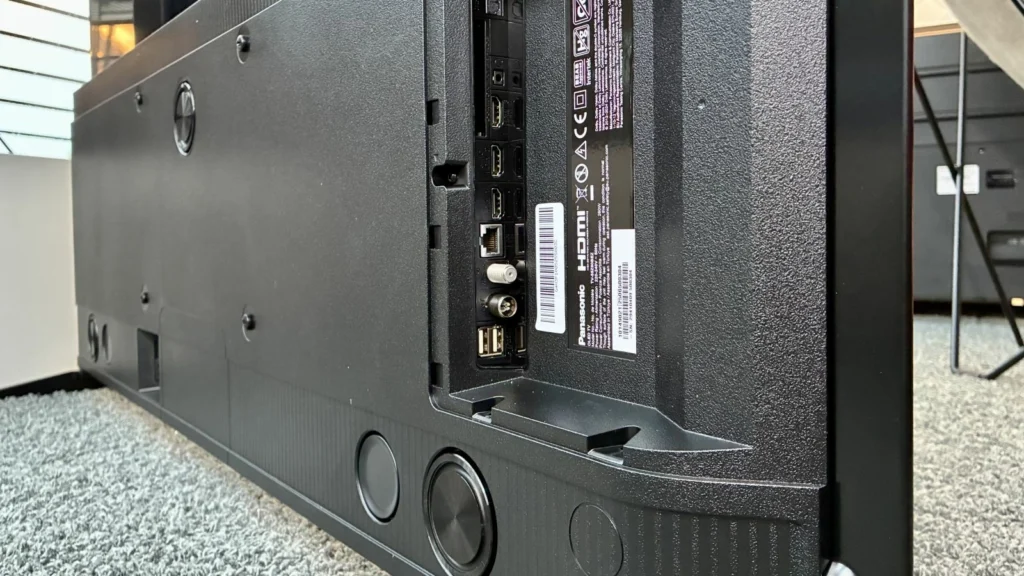
What Is Panasonic Z80B Motion Smoothing?
At its core, Panasonic Z80B Motion Smoothing is a video processing technology that inserts additional frames between original ones. This makes motion appear smoother, especially during fast movement.
Panasonic labels this technology under motion processing options such as:
- Intelligent Frame Creation (IFC)
- Motion interpolation settings
The goal is simple: reduce motion blur and make fast action easier to follow.
How Panasonic Z80B Motion Smoothing Works
The TV analyzes consecutive frames and predicts how objects move between them. It then generates artificial frames to fill the gaps. This increases perceived frame rate and reduces stuttering.
Where It Helps Most
- Live sports
- Fast-paced TV shows
- Action-heavy scenes
- Camera pans
On paper, it sounds ideal but in practice, results depend heavily on content and settings.
The “Soap Opera Effect” Explained
One of the most talked-about side effects of Panasonic Z80B Motion Smoothing is the so-called soap opera effect. This happens when movies especially those shot at 24 frames per second—start to look like low-budget TV dramas.
Films are designed to have a cinematic motion style. Motion smoothing removes that natural film judder, making movies look overly realistic and sometimes distracting.
This is why many viewers choose to reduce or disable motion smoothing for films.
Best Panasonic Z80B Motion Smoothing Settings
The Panasonic Z80B gives users flexibility, which is a big advantage.
Recommended Settings by Content Type
Movies & Series
- Motion smoothing: Off or Low
- Frame creation: Disabled or minimal
Sports
- Motion smoothing: Medium
- Frame creation: Enabled
Gaming
- Motion smoothing: Off
- Use Game Mode for lowest input lag
Adjusting these settings lets you enjoy smoother motion without sacrificing the original look of the content.
Panasonic Z80B Motion Smoothing and OLED Performance
Because the Z80B is an OLED TV, it already has excellent response times. OLED panels handle motion better than many LCD TVs, which means aggressive motion smoothing isn’t always necessary.
In many cases, subtle settings deliver the best balance between clarity and natural motion.
Why Some Viewers Love Motion Smoothing
Not everyone dislikes motion smoothing. Some viewers genuinely prefer it, especially for:
- Sports broadcasts
- Reality TV
- News channels
For these use cases, Panasonic Z80B Motion Smoothing can make motion clearer and reduce eye strain.
The key is choice and Panasonic does a good job giving users control.
How to Turn Panasonic Z80B Motion Smoothing On or Off
To adjust the setting:
- Open the TV menu
- Go to Picture Settings
- Select Motion Settings
- Adjust Intelligent Frame Creation
Small changes make a big difference, so it’s worth experimenting.
Common Mistakes Users Make
Many users leave motion smoothing enabled by default and never adjust it. This often leads to dissatisfaction with movie quality.
Another mistake is using the same setting for all content. Different sources benefit from different motion levels.
Helpful Resources
- Panasonic TV Support: https://www.panasonic.com/support
- OLED Technology Explained: https://www.rtings.com
- Motion Interpolation Guide: https://www.avforums.com
Final Thoughts on Panasonic Z80B Motion Smoothing
Panasonic Z80B Motion Smoothing isn’t good or bad it’s a tool. Used correctly, it improves clarity and viewing comfort. Used incorrectly, it can change how movies are meant to feel.
The Z80B gives users excellent control, and that’s its biggest strength. Spend a few minutes adjusting the settings, and you’ll unlock a viewing experience that truly fits your preferences.

2 Comments